This spring and summer, we’ll be sending you a number of important communications to prepare you for life at Clarkson! To help you keep track, we’re compiling all the communications that go out to our incoming students through your move-in day! Check out the latest emails below.
Exploring Your Finance Options
ORIGINALLY SENT: July 8
Fall invoices have now been released and are ready to be viewed in the student’s MyCU account. A big question some students may be facing is how do I to pay for college? While most students have been provided a financial aid scholarship package that greatly reduces the overall cost, there may still be a gap that needs to be covered. Below are a few helpful finance options that may be available to you.
Financing Options to Consider
Federal Parent PLUS Loans
Federal educational loans that parents can take out for their student to attend college. These loans are federally regulated and historically the most cost-effective for families. Learn more about Parent PLUS loans here.
Private / Alternative Loans
Educational loans provided by private financial lenders. These type of loans can be offered to the student and/or parent. Keep in mind that students may need an endorser if they have not yet established a credit history. Be sure to research local, regional, and national banks carefully before making a selection. To learn more about private loans click here.
Clarkson Payment Plan
Clarkson offers an interest-free payment plan that allows students to spread out their balance across 4 payments per semester (8 total annually). This can be a great option for students planning to pay a portion or all of their balance out of pocket. There is a small application fee of $30. The application can be accessed through the student’s MyCUAccount once they have been matriculated later in the summer.
Combining Payment Plans and Loans Strategically
Using a combination of student loans, parent loans, and the payment plan can be a smart way to minimize borrowing and manage overall costs. Families can often create an approach that best fits their needs.
Outside Scholarships
We encourage all students to seek out and apply for outside scholarships. Any outside scholarships a student is awarded can be stacked on top of their financial aid package up to the cost of attendance. There are no deadlines for outside scholarships. School counselors usually are a great resource when researching national, local and regional scholarships.
Financial Aid Planning Packet (attached)
Helpful resource to use when reviewing your financial aid package and finance options.
If you have any additional questions regarding admissions, financial aid or finance options reach out to your admissions counselor, Katy Collette, kcollett@clarkson.edu, give us a call at 315-268-6480, or email admissions@clarkson.edu.
Get Ready for Move-in at Clarkson!
ORIGINALLY SENT: June 28
Move-in Day is getting closer!
Check your status portal and pack your bags with care. The fun will follow wherever you go.
Get ready with valuable tips from Clarkson students who’ve been there:
- Check the New Knight Orientation page for details on how Clarkson helps you settle in, meet your community, and start strong.
- Read student blogs Tips for College Move-In Day and Be Ready for Day 1 at Clarkson to understand what to expect from your space, your roommate, and yourself.
- Review our residence life page’s “Pack This, Leave That” section. From must-pack items like closet hangers and twin XL sheets to leave-behinds like candles and space heaters, we’ve got you covered with what to bring.
- Watch our Look Inside Clarkson’s Residence Halls video to see what a first-year residence hall can look like, and who you should go to with questions or concerns.
Your time to explore and embrace your curiosity at Clarkson is almost here! While you’re organizing your packing list, make sure to finish your to-do list in your status portal, too.
Use of Clarkson Email Address
ORIGINALLY SENT: June 26
USE OF CLARKSON EMAIL ADDRESS
As new Golden Knights, you have each been issued a clarkson.edu email address. Today, we are announcing that starting Wednesday, July 1, 2026, all email communications related to your transition to Clarkson will be sent solely to your clarkson.edu email address.
It is important to use your Clarkson email account when communicating to faculty and staff on campus. Clarkson is required to follow the “Family Educational Rights and Privacy Act” (also known as FERPA), which protects YOUR privacy as a student. By using your Clarkson email account, faculty and staff can be certain they are speaking to YOU and not someone posing as you.
If you need any tips or advice on how to access your Clarkson account, we invite you to follow the steps found here. You may also contact the IT HelpDesk by email (helpdesk@clarkson.edu) or by phone (315-268-HELP) to have specific questions answered by our OIT staff members.
Your First Jumpstart: Earn 3 Microcredentials for Free!
ORIGINALLY SENT: June 16
You’ve secured your spot at Clarkson, so why wait until August to start building your edge? You now have complimentary access to three microcredential courses you can tackle this summer at your own pace. A microcredential is a short, self-paced online course focused on a specific skill. Complete one and you earn a digital badge you can add to your LinkedIn profile or résumé. They’re optional, non-credit and completely free. Think of them as proof of initiative before your first class even starts. Finish one or finish all three. Here’s what’s available:
Microcredential Effective Business Communications
Sharpen the emails, presentations and professional communications skills that set Golden Knights apart in internship interviews and the workplace. Walk into your first semester already writing like you mean business.
Microcredential Fundamentals of Research
Learn to craft a strong research question, understand the research process from start to finish and arrive ready to contribute in lab, studio or field from day one.
Microcredential Leadership Skills
Build the communication, decision-making and leadership styles that matter in every major and every career. This one’s a golden foundation no matter where your Clarkson path takes you.
Log in to Learn, Clarkson’s learning management system, to get started.
Step-by-step access instructions here.
Complete Your Required Medical Forms!
ORIGINALLY SENT: June 15
Welcome to Clarkson! As you prepare for your arrival, one important step is completing your required health forms and immunization documentation. Taking care of these items now will help ensure a smooth start to your semester.
What You’ll Need to Submit
Please provide documentation for:
✓ Measles, Mumps, and Rubella (MMR) immunization
✓ Meningitis immunization, or a completed Meningitis Waiver Form (completed in Medicat)
✓ Tuberculosis Screening Form (completed in Medicat)
Access Your Medicat Portal
Log In to Medicat using your Clarkson username and password.
Once You’re In
- Complete and fill in your immunization history (under immunizations tab).
- Upload an official immunization record that includes your medical provider’s signature, address, and phone number (under uploads tab).
- Complete the Mandatory Tuberculosis Screening Form. It’s quick! (under forms tab).
Please Note the Deadline
These requirements are mandated by the New York State Department of Health and must be completed before the first day of classes. Students who have not submitted the required documentation by the start of their term will have a health hold placed on their account and be subject to a nonrefundable $250 noncompliance fine.
Your health matters to your success and to the entire Clarkson community, so we take this seriously on your behalf. If you would like more information about our Immunization Policy and Procedure, you can refer to the information and link available on the home page of your Medicat Student Portal. We’re excited to welcome you to campus and are here to help if you have questions along the way. Reach out anytime at shac@clarkson.edu or (315) 268-6633.
You’re Invited: Clarkson Send Off Picnics 2026!
ORIGINALLY SENT: June 4
Twelve Stops. One Big Welcome.
We’re not waiting until you reach Potsdam to celebrate! This summer, we’re bringing the welcome to you. Come meet alumni, current students and staff, share a meal, grab some exclusive swag, and start your countdown to fall as a Golden Knight.
We’ll Be Near You
Boston · Buffalo · Connecticut · Capital District · New Hampshire · Rochester · Mohawk Valley · Syracuse · Vermont · NYC, Long Island & New Jersey · North Country · Maine
Find the picnic nearest you and save your seat in your Golden Knight Gateway!
Accepting or Declining Federal Loans and Work Study
ORIGINALLY SENT: June 2
Below are the instructions for accepting or declining your federal direct loans and federal work study (if you are eligible). To ensure an accurate invoice, please complete this process as soon as possible. This needs to be completed even if you are planning on declining the loans.
- Accept or decline your loan(s) online via your MyCU account
- MyCU> Financial Aid Tab > select Accept/Decline Aid,
Choose the aid year, then you will see financial aid items that require action under the “New” tab, select this. Your loans will have an “action” drop-down menu listed to the right of the item. Use the drop-down menu to select accept or decline each item.
- MyCU> Financial Aid Tab > select Accept/Decline Aid,
All financial aid items that require action will be listed on the “New” tab underneath the “Financial Aid Year 2026-2027” and will have an “Action” drop-down menu listed to the right of the aid item. Any item that does not list an “Action” box is unable to be accepted directly by the student (NYS TAP, ROTC, and VA funding, income share agreements, etc.) and will be accepted on your behalf at a later date. You must act on your Subsidized Loan before acting on your Unsubsidized Loan.
Use the drop-down menu to select your preferred option; you may either ‘Accept’ or ‘Decline’ each item. The ‘Accepted amount’ box will auto-fill with the full offered amount of the loan, however you do not have to accept the entire amount. Any declined loan will reflect $0.00 for the accepted amount in red font. Please note that the ‘Accepted amount’ of Federal Work Study will continue to reflect $0.00 until your decisions have been officially submitted (if you decline Federal Work Study, the $0.00 will change to red font from the original blank font).
- If you choose to accept your loan(s) the box will then turn green, if you decline it will show red
- Then click the Submit Box in the lower right corner, a pop-up box will appear, click “I agree” and “Ok”
If you have any questions or need help please contact us, we are happy to assist you!
Clarkson Pre-College Readiness Surveys Available
ORIGINALLY SENT: May 20, with follow up reminders on June 3 and June 10
We hope the end of your school year is going well. We want you to be successful in your courses. To help us gauge your preparation, please complete one or more pre-college readiness surveys. Log in to your Clarkson Status Portal with your username and password. In your checklist, follow the steps in the Completing the Pre-College Readiness Surveys checklist item. Surveys must be completed by June 11, 2026. Please start today so you meet the deadline.
How your survey results are used
Your survey results help us build your course schedule or advise you on appropriate course selection. You may also receive guidance on opportunities to strengthen skills where needed.These surveys are intended to help you succeed in your first year at Clarkson and in subsequent courses. Past survey data shows a strongly positive effect for students who take advice for additional preparation seriously.
Math, Physics and Spatial Visualization
For undergraduate majors at Clarkson that require Calculus and Calculus-based Physics as prerequisites to other higher-level courses, there are surveys for Math, Physics and Spatial Visualization.Please approach the surveys seriously and make sure the results reflect your own ability. Performance on the math survey will also be used to validate requests for AP or transfer credit in Calculus.The Math Department will contact you in mid-June to provide feedback on the Math Survey results.
Writing Mechanics
All undergraduate majors at Clarkson need to write clearly. Clear, formal writing requires correct grammar, spelling and punctuation.Data from the Writing Mechanics survey will help us build an appropriate schedule for you or advise you on opportunities to strengthen your writing if needed. Three slideshows on Writing Mechanics will help you review before you take the survey, so allow yourself time to review.You will receive immediate feedback when you complete the survey. If necessary, the Writing Center will contact you to follow up.
Need help? For assistance, email helpdesk@clarkson.edu and reference the pre-college readiness survey in the subject of your message.
You’re In. You’re Gold. What’s Next, Golden Knight?
ORIGINALLY SENT: VARIES, as early as April 24, 2026
Your deposit is in and your spot is locked. Before the Knight falls on summer, there’s a short list of things to knock out so you’re fully suited up for day one on the Hill. Already done all these things? You’re ahead of the game!
01
Frequently check your Status Portal & Golden Knight Gateway (GKG)
Your Status Portal is command central, and your GKG is where the fun happens. Log in regularly to stay on top of the items still waiting on you. If it’s on the list, it’s on the clock.
02
Claim your free sweatshirt!
Consider this your first piece of Golden Knight armor. Fill out the form, pick your size and we’ll ship the green and gold your way. The first batch is out for shipment for those who already completed it!
Get My Sweatshirt →
03
Add your Class of 2030 profile
Meet your people before move-in. Drop your profile in so the rest of the Class of 2030 knows who they’re about to share a campus, a quad and a few late-night study sessions with.
Add My Profile →
04
Follow the Class of 2030 Official Instagram
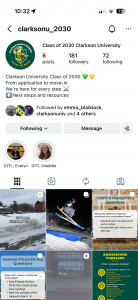
This is where the group chat of your college career really starts. Tap the follow button and get a head start on knowing the faces you’ll see in the dining hall, the lab and the Cheel.
Go follow us now→
05
Get your family in the loop
If you’d like to keep your parents in the loop of what’s going on ahead of the Fall semester, sign them up for access to the Parent Portal by heading to your CU Status Portal if you haven’t yet.
Sign Up Parents →
06
Clarkson-ize your life
Download items from our Clarkson Pride Pack and paint your phone, laptop and feeds in green and gold. Wallpapers, Zoom backgrounds, social graphics and party supplies, all ready to go.
Check out the pride Pack →